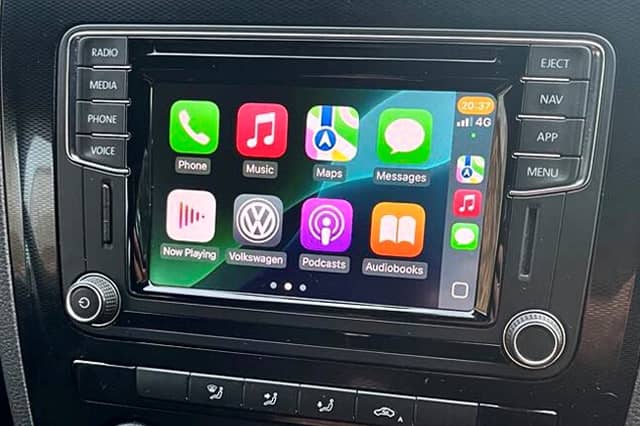
Infotainment Upgrades – Apple CarPlay, Android Auto & Map Updates
Looking to modernise your in-car tech? TC Garage offers professional activation and upgrades for Volkswagen, Audi, SEAT, Škoda and other VW Group vehicles. From Apple CarPlay and Android Auto activation to sat nav map updates and software fixes, we can unlock your vehicle’s full infotainment potential — all using approved tools and specialist knowledge.

Apple CarPlay & Android Auto Activation
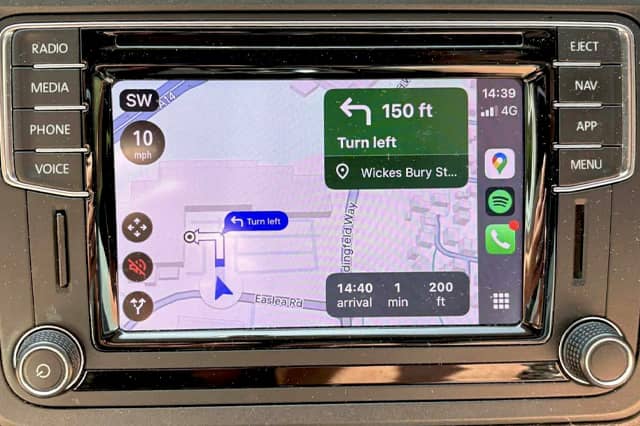
Enjoy a safer, smarter driving experience with full Apple CarPlay and Android Auto functionality, activated using your vehicle’s factory-fitted head unit. This service unlocks access to your favourite apps — including Google Maps, Waze, Spotify, WhatsApp, Apple Music and more — directly on your car’s screen.
Where supported, we also activate voice control, allowing you to use Siri or Google Assistant hands-free via your steering wheel controls or voice prompt. Whether you're navigating, messaging or playing music, you’ll benefit from seamless, distraction-free connectivity.
Most vehicles will use a USB connection to operate Apple CarPlay or Android Auto. Wireless options are available using third-party adapters (not included in this service), and some older vehicles may require a USB port upgrade to enable full functionality — we’ll advise on this if needed.

Sat Nav Map Updates
Keep your factory-fitted navigation system up to date with the latest map data, covering newly built roads, updated speed limits, and fresh points of interest. As part of this service, we update your head unit to the newest available sat nav version — typically the 2025/2026 release, depending on system compatibility.
Whether or not you use Apple CarPlay or Android Auto, having an up-to-date built-in navigation system means you can rely on accurate, standalone directions without needing your phone.
Additional options such as speed camera databases and updated POIs (Points of Interest) can also be added — just let us know when booking.

Head Unit Software Updates
Alongside CarPlay activation and map upgrades, we update your vehicle’s infotainment system to the latest available software version. This can improve overall performance, reduce bugs, and enhance compatibility with newer phones and apps.
Software updates often resolve common issues such as slow startup times, Bluetooth connection problems, or glitchy touchscreen behaviour — helping your system run more smoothly and reliably.
We use official tools and procedures tailored to Volkswagen Audi Group vehicles, ensuring updates are carried out safely and effectively.
What’s Included?
Our Infotainment Upgrade service includes:
- Apple CarPlay & Android Auto Activation (via USB connection).
- Voice Control Activation (where supported).
- Head Unit Software Update to the latest compatible version.
- Built-In Sat Nav Map Update (typically 2025/2026 version).
- System compatibility check and advice on optional extras.
All upgrades are performed using official tools and VW Audi Group-approved methods. No aftermarket kits or coding hacks — just reliable, OEM-level results.
Vehicle Compatibility
Our infotainment upgrade service is available for most Volkswagen Audi Group vehicles from 2014 onwards, including VW, Audi, SEAT, Škoda, Porsche, and Bentley models fitted with compatible head units.
Commonly supported systems include:
- MIB 1 High
- MIB 2 / MIB 2.5 Standard or High (6.5 inch, 8 inch or full glass screens)
- Audi MMI systems from 2014+
This also covers commercial vehicles such as VW Caddy and Transporter with suitable head units.
If you’re unsure about your vehicle’s compatibility, please send us a photo of your current software version. Here’s how to find it:
- VW, SEAT, Škoda: Press and hold the Menu button until the service screen appears, then select “Software Update / Versions.” Take a photo of the “Installed SW train version” and send it to us.
- Audi: Navigate to Menu > Settings > Version Information and send us a photo.
- Porsche (2014 to 2019): Hold the MEDIA and CAR buttons together for at least 5 seconds. Select Version Information. (Once done, use the back button or the same combination to exit to the main menu).
- Porsche (2019 to 2025): From the sidebar on the right-hand side, find the "SET" button, select "System" and then "Software update" finally "Version Information". (Once done, use the back button to exit to the main menu).
We’ll confirm whether your vehicle can be upgraded and advise on any additional hardware requirements, such as USB port replacements for early models.